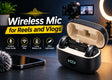

Wireless Mic for Reels and Vlogs: What to Check Before You Buy
 Muhammad Ahmad

Viewers forgive average video much faster than bad audio. A phone microphone picks up the room, the traffic, and the wind just as clearly as your voice, which is why many creators in Pakistan move to a wireless mic as their first upgrade. But the spec lists can be confusing, and a mic that sounds great in a demo can fail on your phone. This guide explains what to check, using the BEME Mic Go 3 Dual Wireless Microphones as a worked example, with notes on where it is strong and where to be careful.
What the Mic Go 3 Offers
BEME lists the Mic Go 3 as a dual wireless microphone system for vloggers, interviews, and everyday recording. Here are the main specifications.
- Two wireless microphones and one receiver, listed as Type C and iPhone compatible.
- Lightning and Type C compatibility, so it works with supported iPhones and Android phones.
- Wireless transmission of about 10 to 30 meters.
- Audio delay of 20ms or less.
- Microphone sensitivity of minus 38dB, plus or minus 3dB.
- Frequency response of 20Hz to 20kHz, and a signal to noise ratio of 70dB or better.
- A noise reduction mode you toggle with the side button.
- About 6 hours of battery life for the microphones, and a 300mAh charging case.
- A digital display for battery and working status, plus headset listening and a reverberation function.
BEME lists it at Rs. 4,999, down from Rs. 7,999, on its home page as a newly launched product. Check the current price and stock on the product page.
Check One: Does It Fit Your Phone
The receiver plugs into your charging port, so connection matters first. iPhone 15 and newer use Type C. Older iPhones use Lightning, and the Mic Go 3 lists support for both. For Android, most phones use Type C. BEME's setup instructions add an important note. On Oppo, Vivo, iQOO, and Realme phones, you must turn on OTG in the phone settings first. If a mic seems dead on one of these phones, this setting is usually the reason.
Check Two: Real Range, Not the Biggest Number
A range of 10 to 30 meters is a band, not a promise. Walls, crowds, and body position all reduce range. For reels and vlogs, you are usually within a few meters of the phone, so range is rarely the problem. Test it in the place you will actually shoot.
Check Three: Delay and Sync
Audio delay matters if the voice drifts out of sync with your lips. A delay of 20ms or less, as listed, is small enough that most people will not notice it. As always, test a short clip before a long shoot.
Check Four: Noise Reduction and Wind
Noise reduction helps with background sounds such as traffic hum and fans. It cannot remove wind. Wind noise hits a microphone as a loud rumble, and the best fix is a foam or furry cover. No windscreen is listed in the Mic Go 3 box, so if you shoot outdoors, plan to buy one. Also clip the mic close to your mouth, about a hand's width below your chin, and away from your collar to avoid rustling.
Check Five: Battery
BEME lists about 6 hours for the microphones, with a 300mAh case that tops them up. Six hours is plenty for most shoots, but charge everything the night before, and carry the case with you.
Check Six: Powering the Phone While You Record
This is the detail most buyers miss. The receiver sits in your phone's charging port, so you cannot plug in a charging cable at the same time. Long videos drain a phone quickly, especially at high resolution. If your phone supports magnetic or wireless charging, a magnetic power bank keeps it topped up while the receiver stays plugged in.
The BEME Dual Mag 5000mAh Wireless Power Bank offers 10W magnetic wireless charging, and snaps onto an iPhone 12 or newer, or on other phones with a magnetic ring case. It is priced at Rs. 3,999, down from Rs. 7,999, and the page lists it as in stock. Honest notes: recording video while charging wirelessly can make a phone warm, and 10W may not keep up with very demanding recording. Test it first, and take breaks if the phone gets hot.
Check Seven: Record a Test, Every Time
Before any important shoot, record a 30 second test and listen on headphones. Check for hiss, rustling, drops, and volume. Also check that your camera app is using the external mic, since some apps default to the phone microphone.
Tips for Better Audio
- Keep the mic about 15 to 20 centimeters from your mouth.
- Record in a quiet room if you can, and avoid bare walls that echo.
- Use the second mic for a guest, and test both together.
- Keep the receiver and the phone clear of thick cases that stop the plug seating fully.
- Keep a backup plan, such as recording a second take.
A Quick Buying Checklist
- Confirm your phone's port, and your phone's OTG setting if it is an Oppo, Vivo, iQOO, or Realme.
- Check the box for a windscreen, and buy one if it is missing.
- Check battery hours and the case's capacity.
- Check the warranty and the seller.
- Check the current price and stock, since BEME prices change during sales.
The Takeaway
A good wireless mic makes you sound clear and professional, and it is one of the cheapest ways to improve a video. Check the connector, the OTG setting, wind protection, and your phone's battery before you shoot, and test every time.